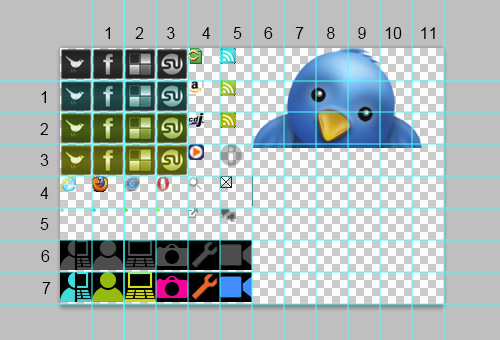
Practical Frontend Optimization – Batching, CSS Sprites & Real-World Performance
Performance isn’t about “micro-optimizing everything.” It’s about reducing unnecessary work — fewer requests, fewer re-renders, fewer layouts. Today I’ll walk through 3 practical optimization techniques I actually use in production: Request batching CSS Sprites Rendering & state batching
1. Network Optimization: Request Batching
The Problem
Frontend apps often do this:
4 HTTP requests = 4 round trips = 4 latency costs.
Even with HTTP/2 multiplexing, each request still has:
- headers
- parsing
- server processing
- connection overhead
This kills performance in:
- dashboards
- admin panels
- trading bots
- real-time apps
The Solution: Batch Requests
Instead of:
Use:
Now:
- 1 request
- 1 latency
- 1 processing cycle
Real-world Example (Next.js + API route)
Client:
Server:
When Batching Helps Most
ScenarioImpact
Mobile 4G
Huge
Trading dashboard
Huge
Real-time analytics
Huge
Static site
Minimal
2.Asset Optimization: CSS Sprites (Game Dev Essential)
Since you’re working with sprite sheets (5x5 grid, equal size for CSS cut), this is critical.
The Problem
Without sprites:
Each image:
- separate request
- separate decode
- separate memory allocation
If you have 100 frames?
💀 Goodbye performance.
The Solution: CSS Sprite Sheet
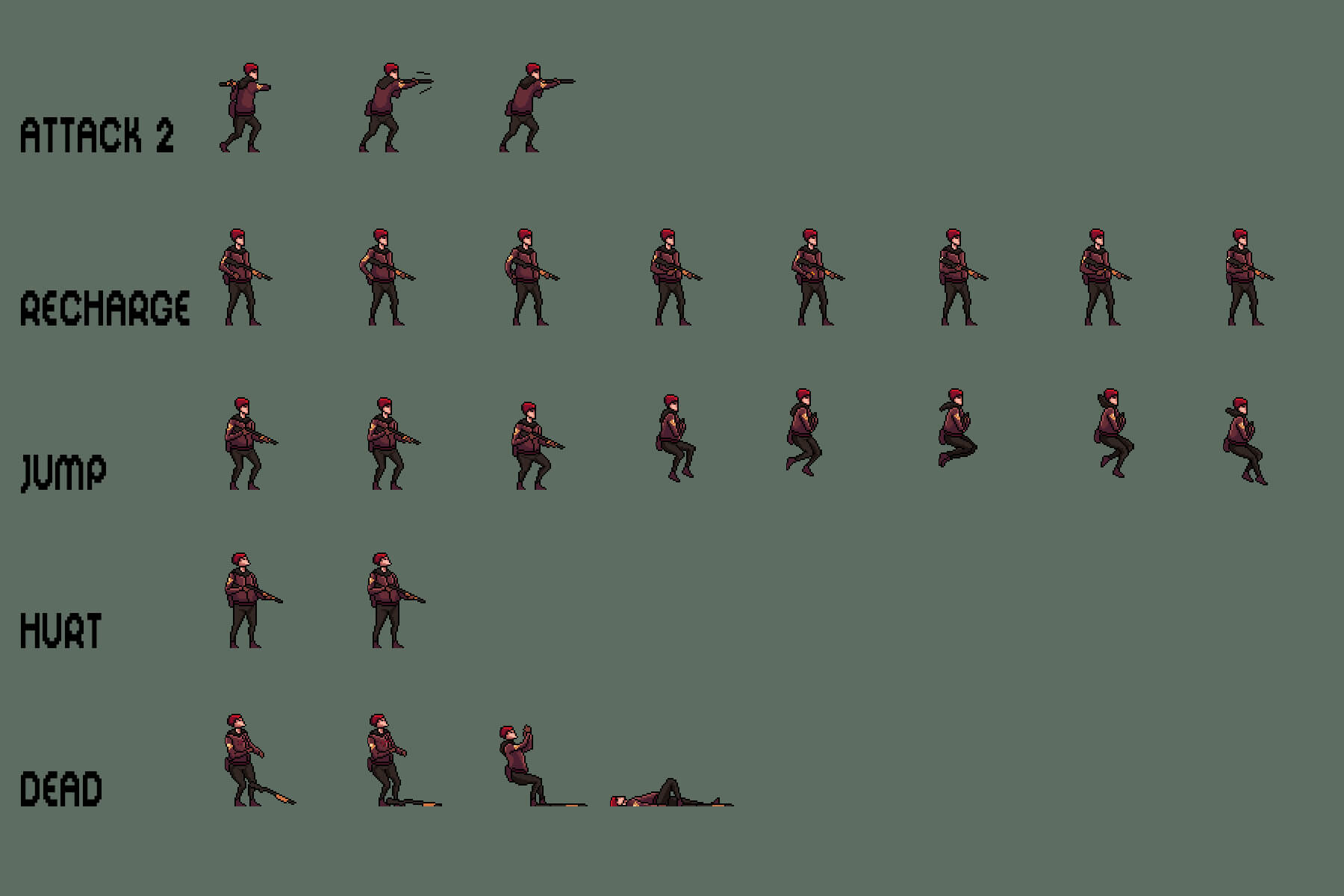
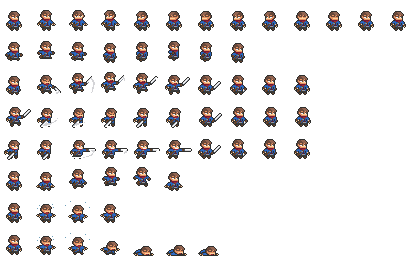

4
Instead of 25 images:
Use 1 image:
Each frame:
- equal width
- equal height
- perfectly aligned (important for CSS slicing)
Example CSS
🎯 Why It’s Powerful
BenefitWhy
1 request
Instead of 25
GPU friendly
Background-position is cheap
Easy animation
Just change position
Perfect for CSS sprite animation
Works with steps()
Advanced Tip: CSS Animation
That’s a 5-frame animation with:
- no JS
- no re-render
- zero runtime overhead
3.Rendering Optimization: State Batching (React / Modern UI)
React (especially 18+) automatically batches state updates.
Bad:
Better:
Even better:
- reduce state fragmentation
- reduce component tree depth
- memo heavy components
🔥 Real Bottleneck Isn’t JavaScript
Most performance issues come from:
- Layout recalculation
- Reflow
- Repaint
- Too many DOM nodes
- Too many network calls
Not “JS is slow.”
4.Bonus: When NOT to Optimize
Over-optimization can:
- Reduce readability
- Increase complexity
- Introduce bugs
- Hurt maintainability
Rule:
Optimize when measurement proves a problem.
Use:
- Chrome Performance tab
- Lighthouse
- Web Vitals
Performance Mindset
Performance is about:
- Reducing round trips
- Reducing memory allocations
- Reducing DOM changes
- Reducing CPU layout work
Batching reduces:
Network overhead
CSS Sprites reduce:
Asset overhead
State batching reduces:
Render overhead
🚀 Final Thoughts
If you're building:
- a sprite-based web game
- a real estate platform like Livana
- a trading dashboard
- or a SaaS app
These 3 optimizations alone can improve perceived performance massively.
Performance is UX.
Fast = Professional.
Slow = Amateur.